Inbox & messages:
See the card and show behind a message, then keep follow-ups and offer decisions distinct.

The same questions, all weekend
Each one stays with the card it is about.
- Is this still available?
- Would you take $400?
- Can you hold it till Sunday?
- Can I pick it up at your table on Saturday?
Out of the DMs, into one inbox
The same question twice: once in a chat app, once in CaseLink.
- Still have the Luka?
- Which one?
- The Kaboom from your post. Hold it till Sunday?
No card attached, no one assigned, nothing comes back on Sunday.
- Assigned to
- Sam
- Team note
- Bought from us at Northgate
- Snoozed until
- Sun, 9:00 AM
Assignment, note and snooze stay with your team.
Reply with the card in view
Saved replies fill in the name and the card. Nothing goes out until you send it.
The card comes with the message
Is this still available?Every thread has a next step and a person
Assigned to a teammateThe whole inbox on one screen
What sits where when a buyer writes in, on the web app.
- Customers and the CaseLink networkBuyers on top, by the channel they write on. Dealers, collectors, consignors and your staff on CaseLink below. The number says how many wait for you.
- Needs reply firstChips narrow the list to what needs a reply, what is yours, what nobody has taken and open deals. Each row names the card and the offer.
- Reply or noteA reply goes out on the buyer’s channel. A note stays with your team. Saved replies fill in the name and the card.
- The offer beside the threadAccept, Counter or Hold without leaving the conversation, with the customer’s history and a team note below.
Offers get their own lane
A formal offer, not a number lost in the chat. Accepting reserves the card, no payment taken.
A message comes in
The chat names its card
The offer
Accept: card reserved
Ready to check out


Counter, and see where it stands
Answer with your price instead of a yes. Or decline: the buyer is told, and the card stays available.
1 · Countered, in your list
The offer keeps its row and shows your price until the buyer answers. The bid stays under it.
2 · Your price against the sticker
R. Diaz bid $4,400. Your $4,650 is 95.2% of the $4,886 price.
3 · The buyer decides
R. Diaz accepts or declines your counter in CaseLink. It expires after 48 hours.
Private notes stay private
The buyer sees the conversation, not what your team writes around it.
The buyer sees
- Card
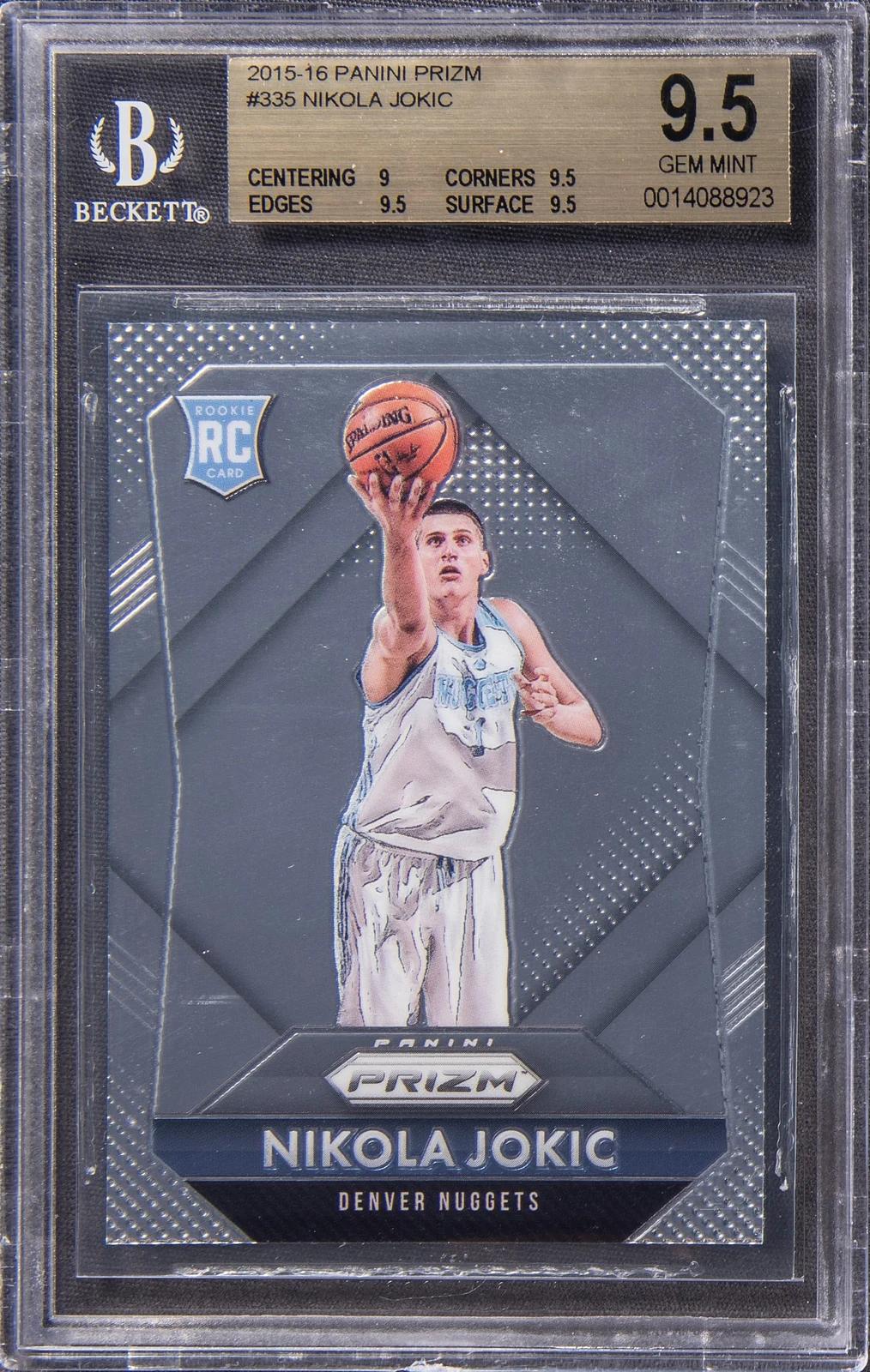
- Nikola Jokic · 2015-16 Prizm #335
- Grade
- BGS 9.5 · Gem Mint
- Reply
- What you send
Stays with your team
- Private notes
- Hidden from the buyer
- Who it’s assigned to
- Hidden from the buyer
- Saved replies
- Hidden from the buyer
One offer, followed to the sale
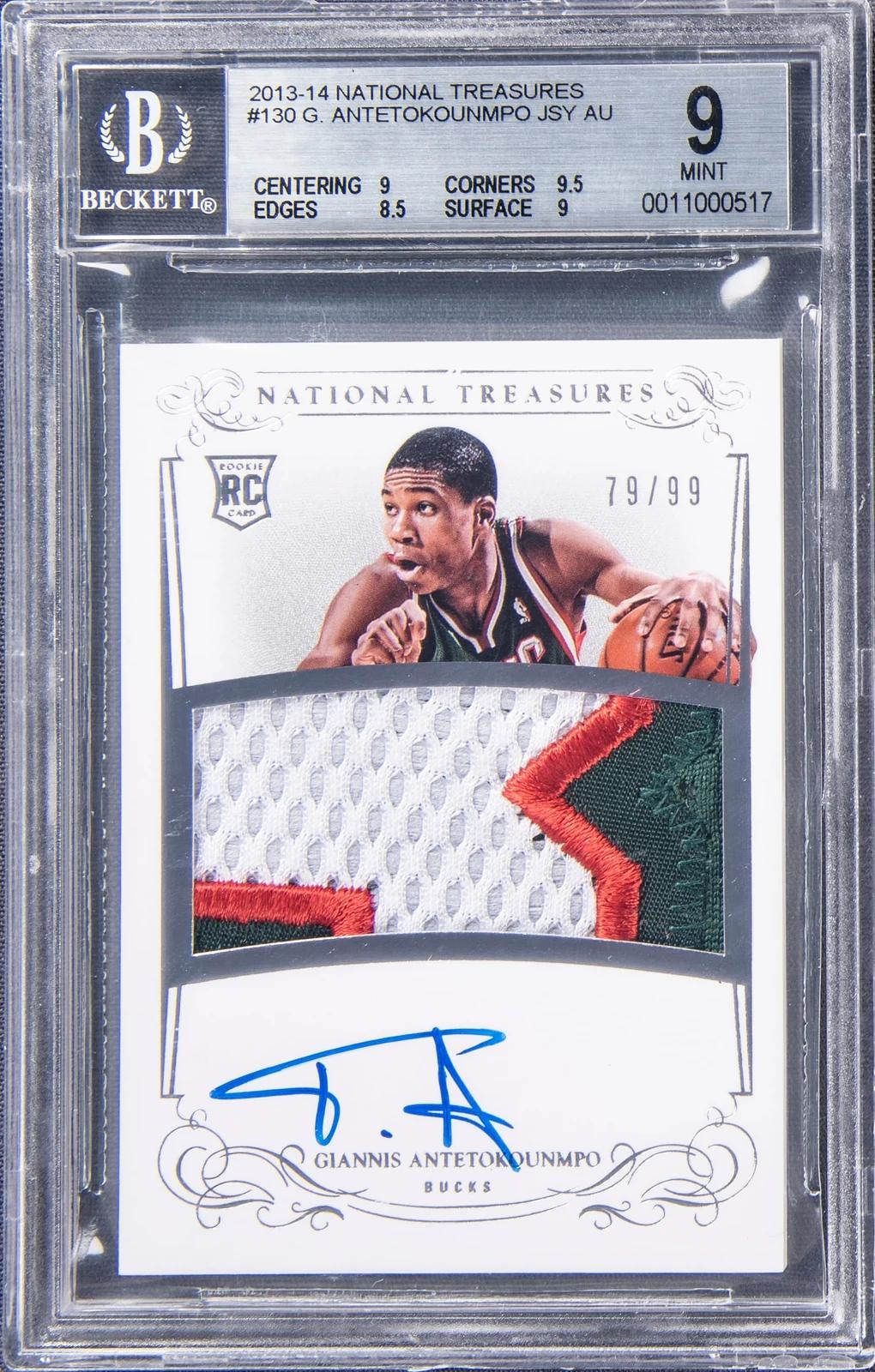
The Giannis from the offer above: accepted on Wednesday, sold at the show on Saturday.
Wed, 9:41 AM
Offer accepted
$23,400 against $25,023 asked, 93.5% of the asking price. The card is reserved, nothing is charged.
Wed, 9:42 AM
Held for the buyer
It shows as reserved to your team, so nobody sells it twice at the table.
Sat, 2:15 PM
Paid at the table
M. Weber pays $23,400 in cash. The money changes hands outside CaseLink.
Sat, 2:16 PM
Sale recorded
Record sale in the thread opens Checkout with the card in the cart. The card leaves your stock and the $23,400 counts in Sales insights.
Inbox
Before you answer the next buyer
Is Inbox more than an offer queue?
Yes. Inbox brings conversations, filters and reply queues together. Review the linked card and customer, reply, add an internal note, assign a teammate or schedule a follow-up. Offers are one part of that wider workflow.
Can conversations keep their channel and customer context?
Yes. The channel, reply window, linked inventory, customer details and grouped questions sit beside the thread. Outside channels depend on supported connections and the provider’s rules. Private notes and financials still follow team permissions.
Does AI send replies automatically?
No. Summaries, extracted details and suggested replies help you prepare the next answer. You review and approve what is sent. Internal notes stay separate from customer replies.
What happens after I accept or counter an offer?
An accepted offer reserves the card. It does not take payment or record a sale. A counter lets the collector review a new price. You settle outside CaseLink, then record the sale or release the hold.
Can I use Inbox and offers on web and mobile?
Both have Inbox and offers, laid out for their screens. Team permissions, card availability and channel connections decide which actions you see. A notification alone does not confirm that a customer got a message.
Then make it formal
Hold it, take the offer, or trade.